The Brief
Convert a provided light-mode dashboard to dark mode while keeping hierarchy, semantic status color, and readability intact.
Provided Source Project
Show Light-Mode Dashboard Source
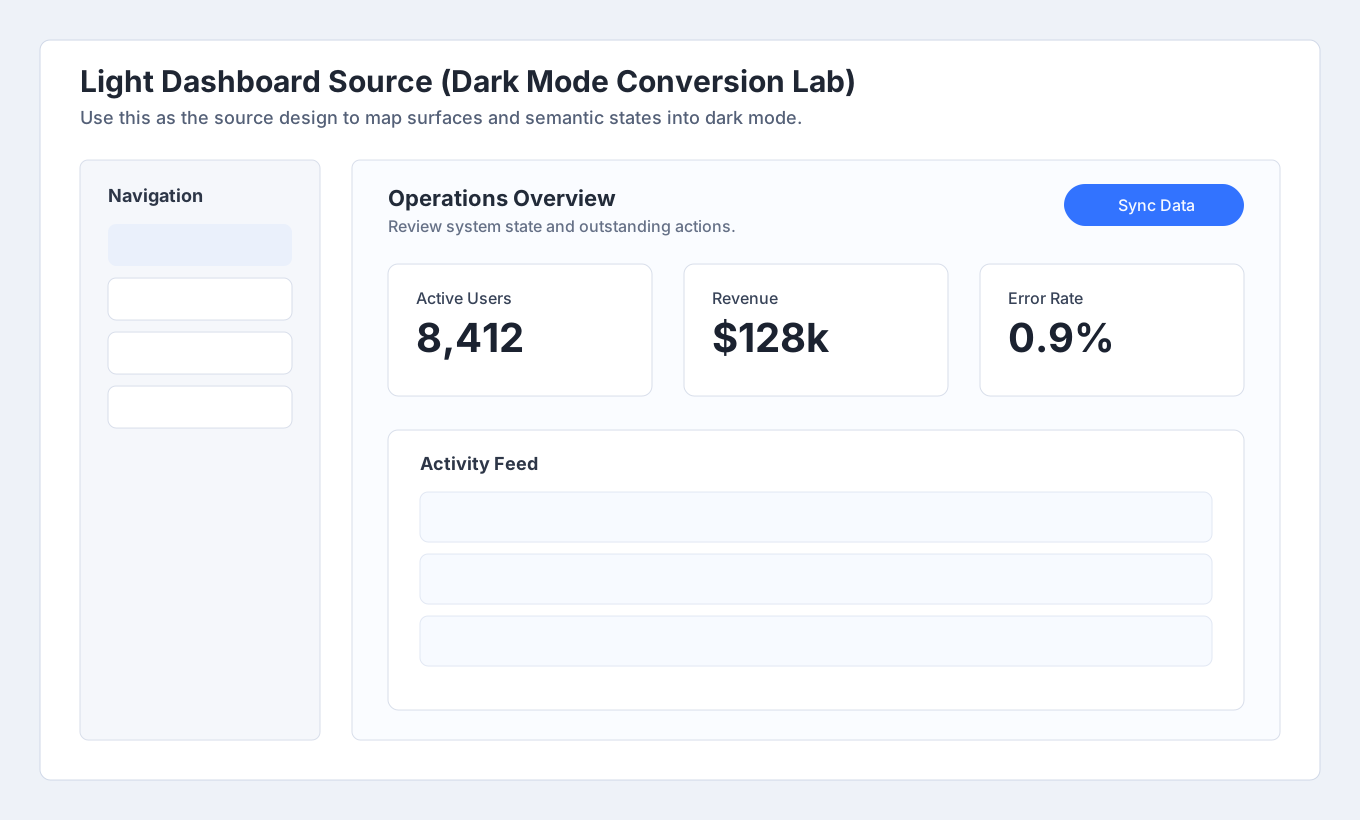
Start from /lab-assets/failed-projects/dark-mode-conversion-light-dashboard.svg. Import this light-mode source into your tool, then produce a mapped dark-mode version without inverting colors blindly.
Starter Prompts
Starter Prompts
In Pencil, import the provided light-mode dashboard source and duplicate it to a dark-mode frame. Map each surface role (page, card, elevated panel) to darker equivalents instead of inverting colors. Keep semantic warning and success states legible and preserve text hierarchy with distinct heading/body tones.
Rubric
Lab Checklist (0/5)
Example Output
Show Example Output
Side-by-side light and dark dashboard where depth, status meaning, and type hierarchy remain consistent.
Common Mistakes
Common Mistakes
- Using pure black for every background layer.
- Keeping all text at pure white intensity.
- Inverting semantic colors without luminance tuning.
Principles Practiced
dark-modecolorhierarchy